

 Optical Transport Networking Solution
 FTTH Solution
 Home Networking Solution
 POL Solution
 Outdoor OLT Solution
 More
 Brand News
 Product News
 Tech Blogs
 CMS
 Tech Support
 Document Download
 Software Download
 FAQ
 Training Center
 About Us
 Careers
 Partners
 Quality Assurance
 Video Center


This website uses cookies to ensure you get the best experience. Some cookies are essential, while others help
us improve your experience by analyzing data or showing personalized content.
For details, please see our
Privacy Policy.

An enterprise OLT refers to an Optical Line Terminal (OLT) deployed in a private enterprise fiber access network, such as a campus, office park, or multi-building facility. Choosing the right OLT requires more than comparing port counts or hardware specifications. Enterprises must connect multiple buildings, support different types of users and devices, maintain stable network performance, and prepare for future expansion. A suitable OLT serves as the central control point of a PON access network, helping IT teams manage bandwidth, service isolation, and network operations.
The most effective selection process begins with the physical layout and business requirements of the enterprise. Network planners should then calculate PON capacity, evaluate deployment architecture, determine uplink requirements, verify compatibility, and estimate long-term costs before purchasing equipment.
This deployment checklist explains how to choose an enterprise OLT for campuses, office parks, hotels, hospitals, industrial facilities, and other multi-building environments.
The first step in enterprise OLT selection is to document how each building will use the network. Different buildings may have different device densities, bandwidth demands, security requirements, and operating conditions. A design that works for a small office may not be suitable for a large campus or industrial site.
Start by creating a building inventory that includes the number of buildings, their approximate distances, existing fiber routes, equipment rooms, and expected connected devices. Identify the services each building needs, such as employee Internet access, enterprise Wi-Fi, IP surveillance, access control, voice communications, and building management systems.
For example, an office building may require high-speed connectivity for employees and wireless access points, while a warehouse may prioritize surveillance cameras, wireless scanners, and industrial control applications. A hotel may need to separate guest services from staff systems and property management traffic.
These differences influence OLT capacity, ONU placement, VLAN configuration, uplink design, and service management requirements.
Before evaluating specific OLT models, confirm the following information:
l Number of buildings and estimated fiber distances between network locations.
l Expected number of users, endpoints, wireless access points, cameras, and other devices.
l Required bandwidth and expected peak traffic for each building.
l Existing optical fiber, distribution frames, conduits, and equipment rooms.
l Availability requirements and acceptable service interruption.
l Expected network growth over the next three to five years.
This inventory provides the foundation for selecting an OLT platform that fits the entire enterprise rather than optimizing for only one building.
OLT port planning should account for the number of ONUs, the optical distribution network, bandwidth demand, and future expansion. Choosing a device solely by counting current users can lead to insufficient capacity or unnecessary initial investment.
An OLT PON port connects to a optical distribution network (ODN) that can serve multiple ONUs through passive optical splitters. However, the number of ONUs supported per PON port depends on the PON technology, optical power budget, splitter ratio, available bandwidth, and actual deployment requirements.
Begin by estimating the number of ONUs required in each building. An ONU may serve a floor, an equipment room, a group of offices, or another suitable access point, depending on the network design. The number of end devices is therefore not necessarily equal to the number of ONUs.
A basic planning method is:
Required PON ports = Total planned ONUs ÷ Planned ONUs per PON port
Round the result up to the next whole port, then add capacity for operational flexibility and future growth. This is an initial planning estimate, not a substitute for checking optical loss and bandwidth.
Consider the following illustrative example:
Planning item | Example value |
Buildings in the enterprise | 5 |
Planned ONUs across all buildings | 120 |
Assumed ONUs per PON port | 16 |
Initial calculated PON ports | 8 |
Additional ports reserved for growth | 2 |
Planned PON port capacity | 10 |
The example assumes that 16 ONUs per port is appropriate for the selected technology and service profile. It does not establish a universal recommended split ratio. The final design must also verify optical power budget, distance, splitter loss, and traffic demand.
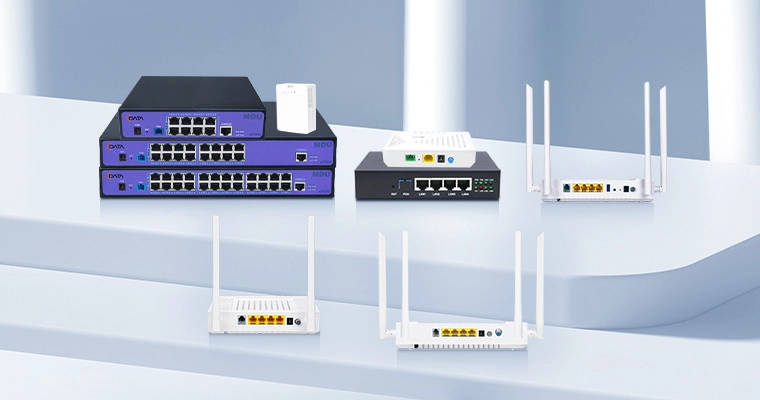
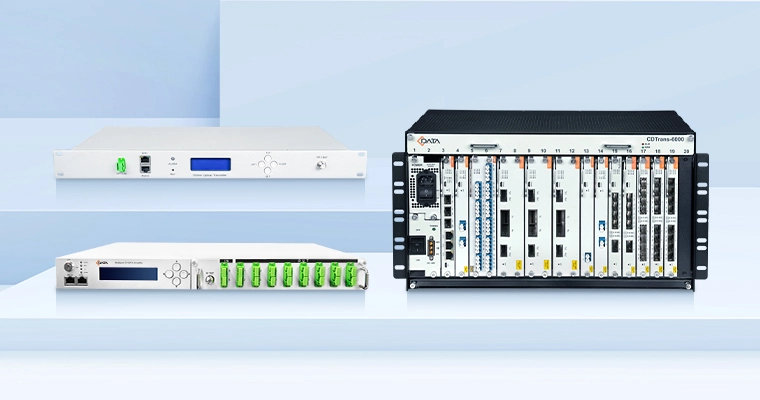
When comparing OLT models, check the number of available PON ports, supported PON standards, uplink interfaces, and expansion options. C-Data offers a range of OLT solutions for different enterprise network sizes and deployment requirements. Mini OLTs provide compact access options for small-scale deployments, while pizza-box OLTs support networks with relatively stable capacity needs. For growing networks, expandable OLTs allow operators to increase PON port capacity by adding modules without replacing the entire device. Chassis OLTs provide high-density access and flexible expansion for large campuses and multi-building networks.
A multi-building enterprise can use centralized or distributed OLT deployment, depending on its geography, fiber infrastructure, maintenance model, and availability requirements.
Centralized deployment places OLT equipment in a main network room or data center, with the ODN extending to ONUs across multiple buildings. This approach can simplify centralized management, equipment maintenance, and configuration control.
Centralization is often suitable when buildings are relatively close, inter-building fiber routes are available, and the main equipment room has sufficient space, power, cooling, and physical security. However, the design must account for fiber distance, cable routing, optical loss, and the potential impact of failures at the central location.
Distributed deployment places OLTs at multiple network locations or regional distribution points. This arrangement may be useful for large campuses, geographically separated buildings, or sites where bringing all fibers back to one central room is impractical.
Distributed deployment can shorten some access paths and limit the scope of certain equipment failures. However, it may increase hardware costs, site requirements, power consumption, and maintenance complexity.
Use the following comparison to guide the initial decision:
Selection factor | Centralized OLT | Distributed OLT |
Equipment management | Concentrated in one location | Spread across multiple locations |
Fiber routing | Requires suitable routes back to central site | Can accommodate regional access points |
Site requirements | One primary equipment location | Multiple suitable equipment locations |
Maintenance | Centralized routine servicing | Maintenance across several locations |
Failure planning | Requires protection against central-site risks | Requires consistent protection at each site |
Best fit | Compact campuses with suitable fiber infrastructure | Large or geographically dispersed deployments |
Neither architecture is automatically better. Evaluate the actual site layout and total cost of ownership before deciding.
PON access capacity and OLT uplink capacity must be planned together. Even when sufficient PON ports are available, an undersized uplink can create a bottleneck between the access network and the enterprise core.
Estimate peak traffic from each building and consider how services overlap during busy periods. Enterprise Wi-Fi, video surveillance, cloud applications, large file transfers, voice services, and building management traffic may have different bandwidth and latency requirements.
Next, review the OLT's available uplink interfaces and verify compatibility with existing aggregation or core switches. Check interface speeds, port counts, link aggregation support, and required optical transceivers.
Avoid assuming that the combined theoretical bandwidth of every PON port will always be fully utilized simultaneously. Instead, use expected busy-hour traffic, service requirements, and realistic growth forecasts to determine an appropriate uplink design.
For mission-critical environments, evaluate redundant uplinks and supported failover mechanisms. Link aggregation can provide additional capacity and, when correctly configured, link resilience. However, it does not automatically protect against every switch, power, or physical-path failure.
The final design should document the expected traffic load, uplink utilization target, redundancy arrangement, and planned response to a failed link.
A multi-building enterprise often shares physical fiber infrastructure across many departments and applications. Traffic isolation helps prevent unnecessary communication between services and supports consistent network administration.
Use VLANs and other supported segmentation mechanisms to separate business traffic according to the enterprise’s network architecture. For example, employee devices, guest Wi-Fi, surveillance cameras, access control, and industrial equipment may require distinct service policies.
Before purchasing an OLT, confirm that its configuration capabilities meet the planned design. Relevant features may include VLAN assignment, VLAN tagging, QoS, bandwidth profiles, multicast handling, and centralized ONU management. The exact requirements depend on the OLT model, software version, and interoperability with other network equipment.
Service isolation must also be designed across the entire network. The OLT, ONUs, aggregation switches, routers, wireless infrastructure, and security systems must apply compatible configurations. VLAN separation alone does not replace firewall policies, access controls, or other security measures needed to protect sensitive systems.
For example, surveillance cameras may require access to a video management system but should not automatically receive unrestricted access to employee networks. Guest Wi-Fi users may need internet access without being able to reach internal enterprise applications.
Document the service-to-VLAN mapping, bandwidth requirements, management access rules, and dependencies before deployment. This makes configuration more consistent when additional buildings are connected.
OLT reliability should be evaluated according to the business impact of an interruption. An office network may tolerate a short outage, while a hospital, manufacturing facility, or security operations center may require stricter availability targets.
Identify the network components whose failure could interrupt service: the OLT, power supply, uplink, distribution fiber, splitter path, ONU, and upstream switches. Determine which buildings and services would be affected by each failure.
Depending on availability requirements and equipment capabilities, consider redundant power supplies, protected uplinks, diverse fiber routes, or redundant OLT deployment with supported protection mechanisms. Confirm the actual protection mechanisms supported by the selected OLT instead of assuming that all models offer the same capabilities.
Redundancy should also be assessed at the system level. Two uplinks routed through the same vulnerable conduit may not provide meaningful protection against a cable cut. Similarly, redundant equipment without tested failover procedures may not deliver the expected recovery performance.
Operational features matter as well. Check whether the OLT supports remote management, alarms, performance monitoring, configuration backup, and fault diagnosis required by the IT team. Verify how technicians can identify optical signal degradation, ONU disconnections, and uplink failures.
Finally, define recovery procedures and test them before the network enters production. The goal is not simply to purchase redundant hardware, but to reduce the likelihood and impact of service interruptions.
An enterprise OLT must work with the installed optical distribution network and the devices connected to it. Compatibility checks should cover PON standards, optical specifications, ONU interoperability, uplink interfaces, and management functions.
First, identify whether the existing network uses GPON, EPON, XGS-PON, or another technology. Confirm that the selected OLT supports the required standard and that the intended ONUs are compatible with the specific platform and software version.
Do not assume that ONUs supporting the same PON standard will necessarily provide full interoperability across all vendors. Authentication, management protocols, configuration profiles, and advanced functions may vary. Request a supported-device list and test representative ONUs before committing to a large deployment.
Next, verify the optical power budget, accounting for fiber attenuation, splitter insertion loss, connector and splice losses, and an appropriate design margin. Confirm that the received optical power remains within the receiver's specified sensitivity and overload limits.
Also review the OLT’s uplink interfaces and its integration with existing switches, routers, monitoring platforms, and management systems. Confirm whether additional transceivers, licenses, or software features are required.
For older enterprise sites, compatibility planning can help preserve usable infrastructure while avoiding unexpected replacement costs. However, retaining existing components should depend on verified technical suitability, not simply on their availability.
The lowest purchase price does not necessarily produce the lowest long-term cost. Enterprise OLT selection should consider equipment, installation, fiber work, power, maintenance, software, expansion, and potential service interruptions.
Compare the total cost of ownership of each suitable deployment option over a defined period, such as three or five years. Include the costs of OLT hardware, PON modules where applicable, ONUs, uplink optics, racks, cabling, installation, testing, and integration with existing infrastructure.
Then estimate operating expenses, including electricity, cooling, maintenance, monitoring, technical support, and spare equipment. For distributed deployments, account for the additional effort required to maintain equipment at multiple sites.
Future expansion is another important factor. Determine whether the selected OLT can accommodate more PON ports, additional uplink capacity, or new buildings without forcing a complete architecture replacement. For a modular chassis, confirm which additional cards or licenses may be required. For expandable OLTs, evaluate the available expansion slots and supported PON modules. For fixed-port equipment, assess the cost and complexity of deploying another unit.
A practical pre-purchase checklist includes:
l Map all buildings, fiber routes, and equipment locations.
l Estimate ONU quantities and PON port requirements.
l Verify optical power budgets and splitter configurations.
l Match uplink capacity to projected peak traffic.
l Confirm VLAN, QoS, management, and security requirements.
l Verify ONU compatibility and integration with existing equipment.
l Define redundancy, monitoring, and recovery requirements.
l Estimate initial installation and ongoing operating costs.
l Reserve capacity for planned growth.
l Request technical documentation and validate the design before ordering.
A documented checklist helps IT teams compare vendors using the same requirements rather than relying on key specifications alone.
Choosing an enterprise OLT for a multi-building network starts with understanding the site and its business requirements. Enterprises should calculate PON capacity, select an appropriate deployment architecture, size uplinks, plan traffic isolation, and verify reliability and interoperability before purchasing equipment.
The right solution balances present-day requirements with practical expansion options and manageable operating costs. By following a structured deployment checklist, network planners can reduce design risks and build a fiber access network that supports multiple buildings, services, and future business growth.
Yes. One OLT can serve multiple buildings when the PON topology, optical budget, port capacity, fiber routes, and service requirements support the design. The final arrangement depends on the site layout and the selected OLTs and ONUs.
A centralized OLT can simplify management when buildings have suitable fiber connections to a common equipment room. Distributed deployment may be more practical for large campuses or geographically separated facilities. The choice should reflect fiber availability, maintenance requirements, resilience, and total cost.
Verify PON standards, port capacity, uplink interfaces, optical power budget, ONU interoperability, VLAN and QoS support, management functions, redundancy options, and expansion requirements. Request vendor documentation and validate critical compatibility assumptions before ordering.
This is the first one.


